Data and conventions
AIMBAT never changes the input data. After import, a data source such as a SAC or JSON file is read only for its waveform samples. Everything else lives in a database: event and station metadata, processing parameters, and results.
The project file
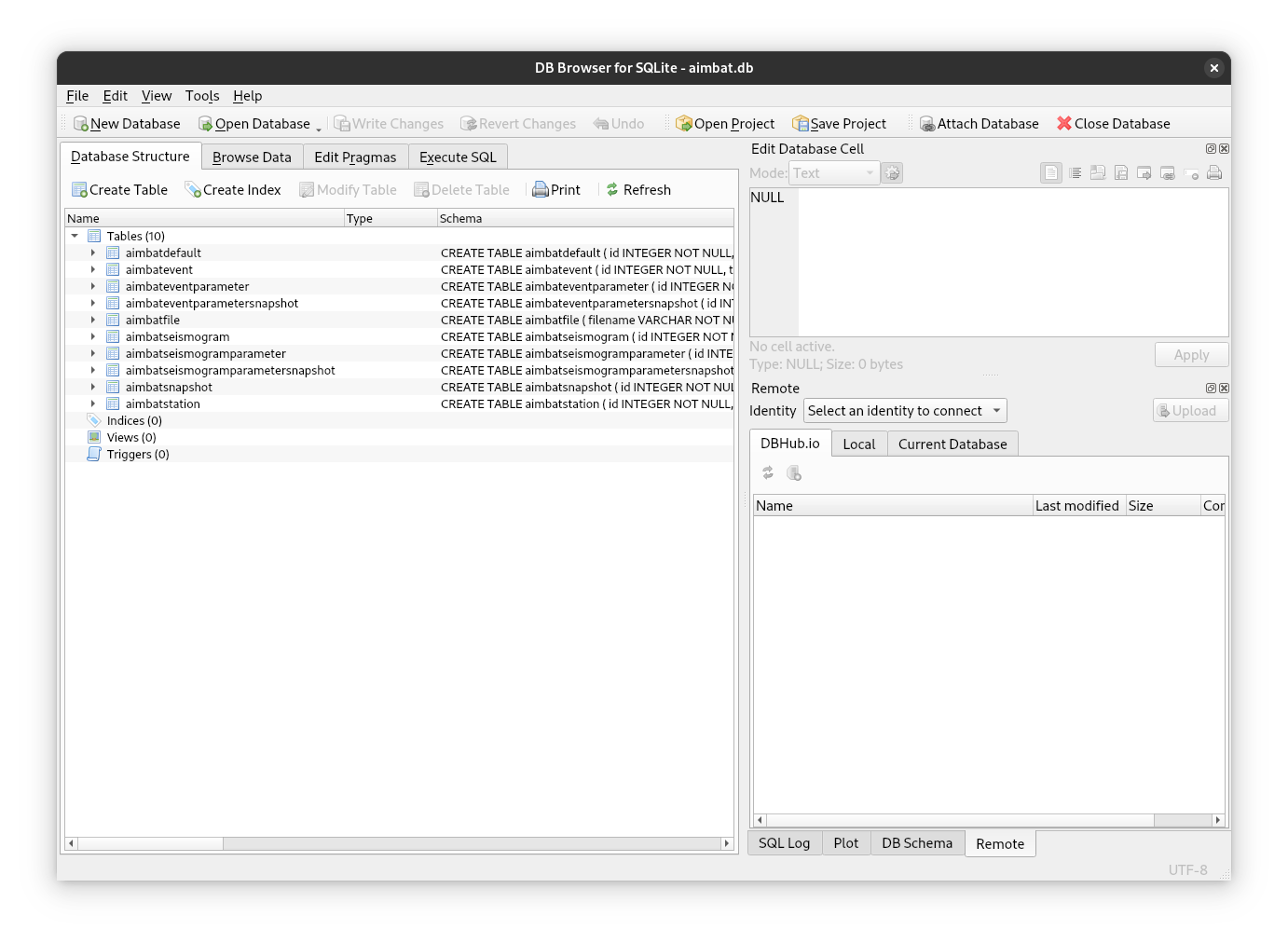
That database is a single SQLite file, created when a project is initialised. All project state lives in it. Normal use never requires understanding the schema, but a viewer like DB Browser for SQLite is useful for inspecting the raw data when something behaves unexpectedly.
Keeping the schema up to date
AIMBAT occasionally changes the database schema between releases. If a
project's schema is out of date, the CLI refuses to run and the TUI blocks
with a modal until aimbat db upgrade is run. This is never
automatic, and no data are lost.
Data hierarchy
A seismogram is a database record linking one data source to a station and an event. Stations and events are shared: many seismograms can reference the same event record. This matters when deleting items, below.
---
title: AIMBAT data hierarchy
---
erDiagram
    EVENT ||--o{ SEISMOGRAM : "used by"
    STATION ||--o{ SEISMOGRAM : "used by"
    SEISMOGRAM ||--|| "DATA SOURCE" : uses
Grouping is by metadata, not by file location
Seismograms are grouped into events and stations solely by matching records in the database. Any on-disk layout works; the metadata must match exactly. A small difference such as a rounded coordinate makes AIMBAT treat two seismograms as belonging to different stations or events.
A project can hold many events. ICCS, MCCC, and snapshots act on one event at a time, so the current event must be selected before running them. See Selecting an Event.
Deleting items
Deletion follows the hierarchy:
- Deleting1 an event or station also deletes its seismograms.
- Deleting a seismogram leaves its event and station in place, even if nothing else references them.
The logic behind the rules
An event or station can exist without any seismogram, but a seismogram cannot exist without an event to record and a station to record it.
aimbat data prune handles a vanished data source, such as a deleted SAC file
or a moved directory. It removes every seismogram whose source can no longer be
read. This is the batch, source-driven counterpart to the single-item delete
commands.
Permanent removal has two parts. First the data source is removed, by deleting
the file or regenerating the source without the seismogram. Then
aimbat data prune clears the leftover record. A seismogram can also stay in
the project but sit out the analysis, with select = False.
See Removing data for the commands.
Parameters
Parameters are organised in three tiers:
- AIMBAT defaults. Global settings for application behaviour and the initial values of event and seismogram parameters. Stored outside the project file, since some are needed before a project exists. See Aimbat Defaults.
- Event parameters. Shared by every seismogram of an event, such as the time
window and filter settings. Attributes of
AimbatEventParametersBase. - Seismogram parameters. Specific to one seismogram, such as the
arrival-time pick and the select/deselect flag. Attributes of
AimbatSeismogramParametersBase.
There is no save button
Parameter changes (a pick, a filter setting, a select flag) are written to the database immediately, in every interface. There is no save step and no undo. Snapshots capture a state to roll back to.
Snapshots
A snapshot is an independent copy of all event and seismogram parameters, taken at any point during processing. Rolling back restores those parameters exactly and leaves other snapshots untouched. Importing data snapshots each affected event automatically, so the imported state is always recoverable.
Adding data after a snapshot
A snapshot only captures items that exist when it is taken. Items added later are not in it. A rollback preview shows the whole dataset as it would look afterwards, with those newer items keeping their current live state.
See Snapshots for taking and comparing them.
UUIDs
Every item in a project is identified internally by a UUID:
Typing these in full is impractical, so AIMBAT displays and accepts truncated forms, using only as many leading characters as needed to be unambiguous within the project. Four seismograms with these IDs:
6a4acdf7-6c7b-4523-aaaa-0a674cdc5f2d
647568aa-8361-45ef-bfc8-61f873847f17
c980918d-106d-44d9-a3fa-5740f58edf4e
5dcb5c4b-b416-4a7b-870f-9a8da42a7dd2
can be referenced as:
If two characters are not enough, three are used, and so on.
-
Deleting items from a project drops them from the database only. AIMBAT will never delete or modify any files. ↩